


App Update 2026.2

Expanded Language Offerings For Unity AAC
It’s time to update your AAC apps to version 2026.2 and experience your best communication with LAMP Words for Life®, TouchChat®, Unity® AAC, and Dialogue® AAC. This update brings new language and vocabulary options, in-app learning support, and software features designed to make setup faster and daily communication smoother.
Pro tip: Save your file before updating or turn on automatic backup and let your app do the work for you.
Expanded language offerings for Unity AAC
Introducing two new languages—Spanish and German—now available in the Unity AAC iOS app bringing more options to more communicators around the world. Pair any two languages together for bilingual communicators to excel. Plus, interactive in-app tutorials help you learn key tasks with built-in guidance in your chosen language.
Spanish
Explore the eight new Unity Español vocabulary files available in multiple sizes and layouts: 84, 60, 36, and 28 in both Secuenciado (Sequenced) and 1-Toque (1-Hit) formats. Pair your Minspeak® vocabulary with one of the 18 new Almagu bilingual English-Spanish voices to experience your most authentic voice.
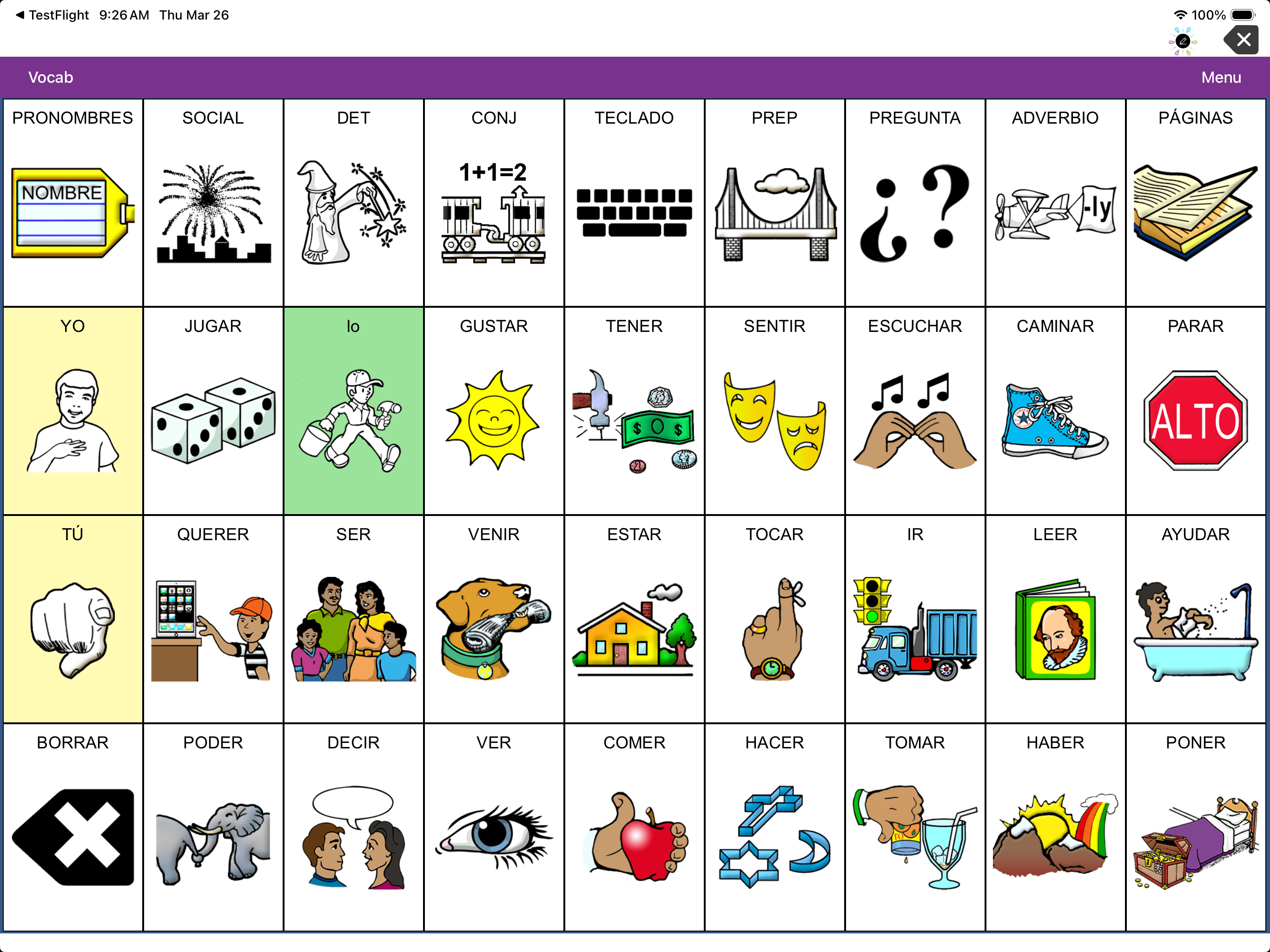
Learn more and activa tu voz (activate your voice) with Unity Español.
German
German is now a fully supported language in the Unity AAC app. Enjoy two popular German Minspeak-based files: Unity 60 and 84 Wortstrategie. Customers in Germany, Austria, and Switzerland can experience these files with Metacom symbols.
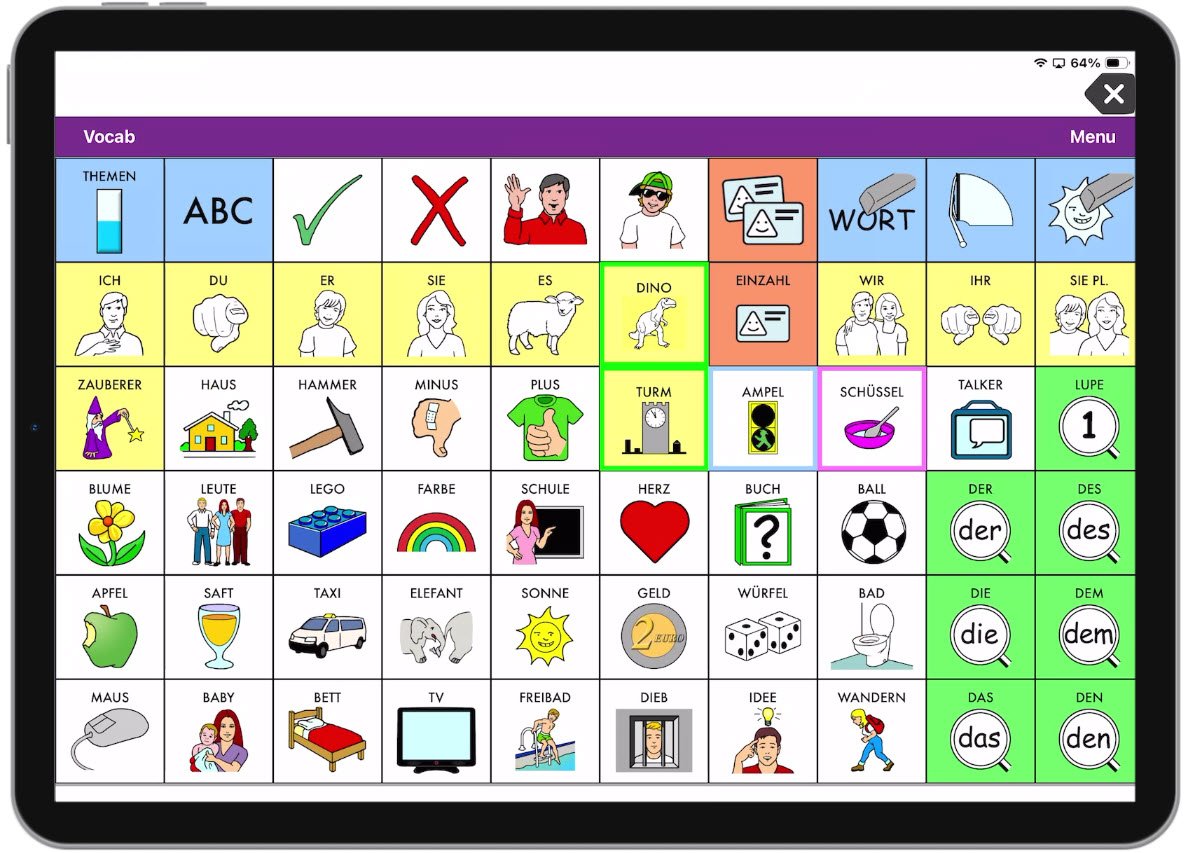
Learn more about Wortstrategie.
New vocabulary options in TouchChat
Update your TouchChat app to 2026.2 for these new options.
NEW WordPower®80 file
Check out the new WordPower80 vocabulary file. This expanded layout features a larger set of high-frequency core words on the main page to support faster, more efficient communication with fewer keystrokes. Note: The previous WP80 file name switched to WordPower80 with Keyboard for clarity.
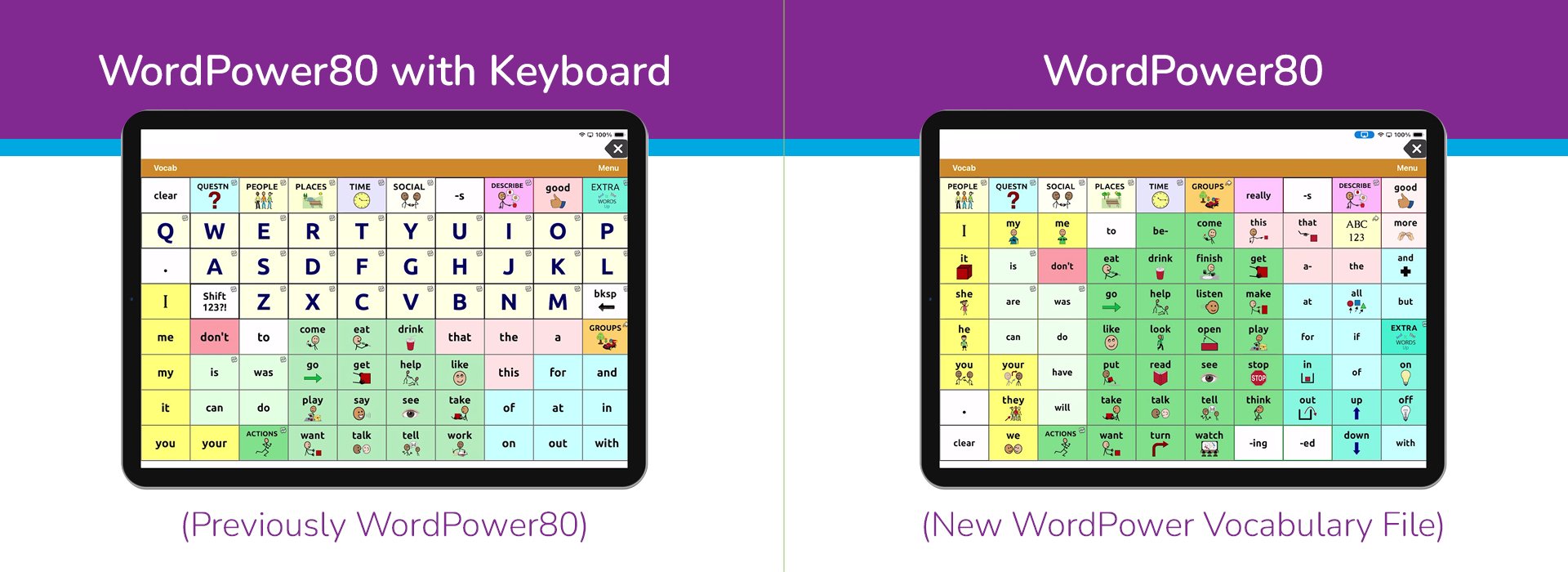
Explore other new WordPower features here.
NEW Hebrew Keyboard File
The new Hebrew keyboard file supports Hebrew typing and communication needs with built-in word prediction, sentence categories for faster retrieval, option to save messages for writing and drawing for customisation, and more. Access Hebrew vocabularies and voices by going to the Library Menu, then Menu > Language & Region > + > Hebrew.
New app software features with 2026.2
Custom Page Generation
Create custom pages on frequent or favorite topics, no AI required. Build your own word list or choose to use optional AI assistance to generate a starter list you can review and refine. Once your word list is determined, automatically build out your new page complete with symbols. Available in all apps. AI features are iOS hardware dependent.
Knowledge Base Online Help
Find answers quickly with an improved online help experience with PRC-Saltillo’s Knowledge Base now available through your app. Find app-specific support articles on basic settings to advanced features. Available in all apps in all supported languages.
Connect to Wi-Fi and access Knowledge Base:
- For LAMP Words for Life, TouchChat, and Dialogue AAC – Menu > Help
- For Unity AAC – Vocab > Use New Vocab > Menu > Support > Manual
Button Boost
Temporarily highlight or magnify symbols upon selection for emergent communicators with button boost. The standard magnify is three times the original, but you can make your buttons expand to any size you choose. Use this visual support feature during therapy time or choose to keep it on depending on the needs of your communicator. Available in Minspeak-based LAMP Words for Life and Unity AAC apps.
Vocabulary Builder Improvements
When you add a new word to your vocabulary file, it can now be added to your Vocabulary Builder list, plus a word count is displayed to help you track progress. Available in Minspeak-based LAMP Words for Life and Unity AAC apps.
Compatibility Note
As part of this update, vocabulary files created in version 2026.2 can’t be opened in earlier software versions. To transfer files successfully, keep your app version on all your iOS devices in sync. Turn on automatic backup to save earlier versions of your custom vocabulary file.